This section is meant to give you an idea of what happens “behind the scenes” when you train an AI. Essentially, the AI needs feedback on it’s performance and this is going to be provided by me (in this case). In many real-life cases of this, programmers have figured out clever ways of having you provide feedback without giving it a second thought.
- You can accept or correct a tag on facebook
- You can choose to use the provided suggestion on your predictive text keyboard, or you can correct it
Wilbur was produced using the tools provided by API.ai. These tools, like those of a few competing products, have made it relatively easy to design and maintain a chatbot or Virtual assistant and to train its AI. For example, when I log into my API.ai account, I am provided with a dashboard which allows me to do work on improving or updating my bot and its abilities, or to assist in it’s training. In this case, I will focus on the training.
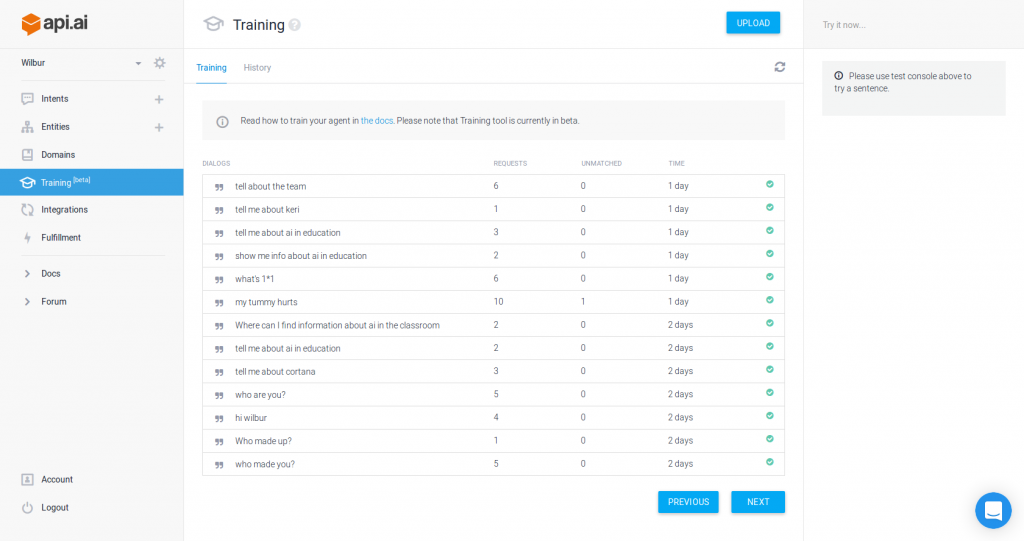
Selecting one of these sessions brings up a screen where I can go through the results of those conversations and give Wilbur some feedback on whether he’s identifying the user’s main intention correctly.
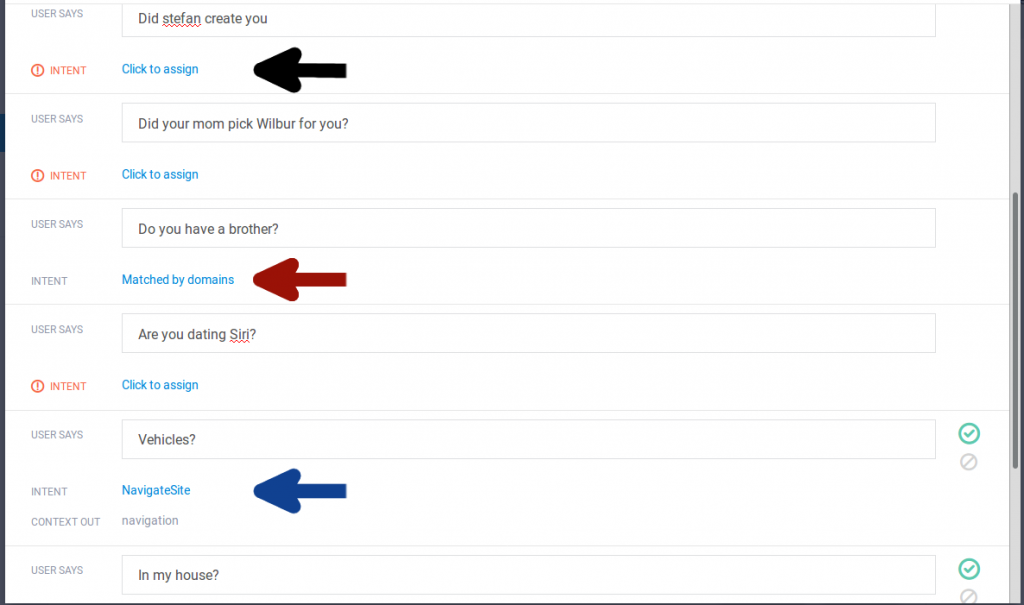
As you can see, Wilbur has identified the intent correctly in a few cases (“NavigateSite”) and I confirmed that those were correct (green checkmarks). In one case, API.ai’s own presets took over (red arrow), and in a few cases, Wilbur struggled.
To be fair, I hadn’t prepared him to answer questions about his personal life. But, based on these questions, I created a new intent to help Wilbur better deal with questions about his origins. I then assigned those questions to this new intent.
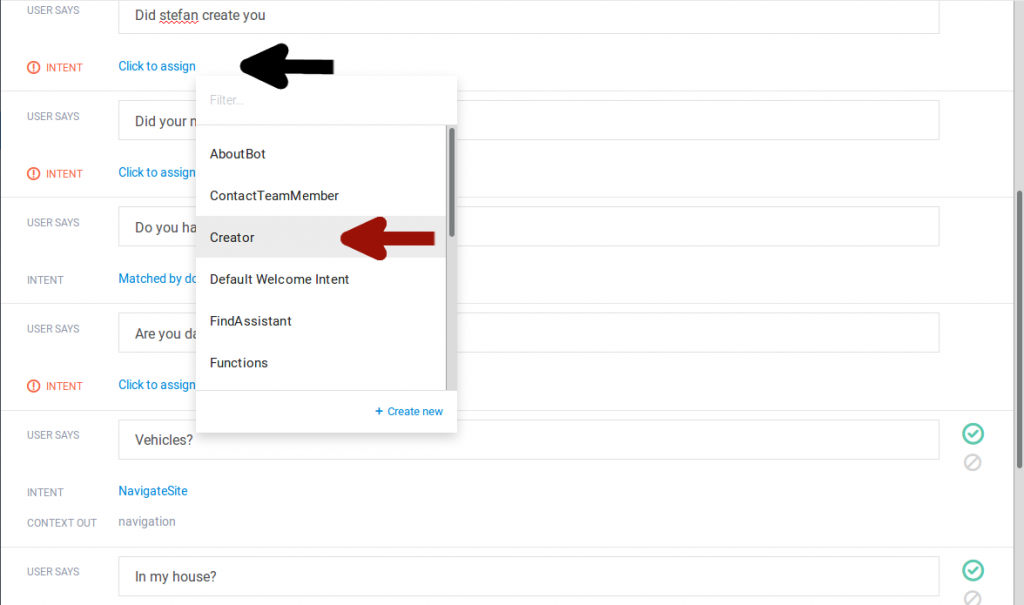
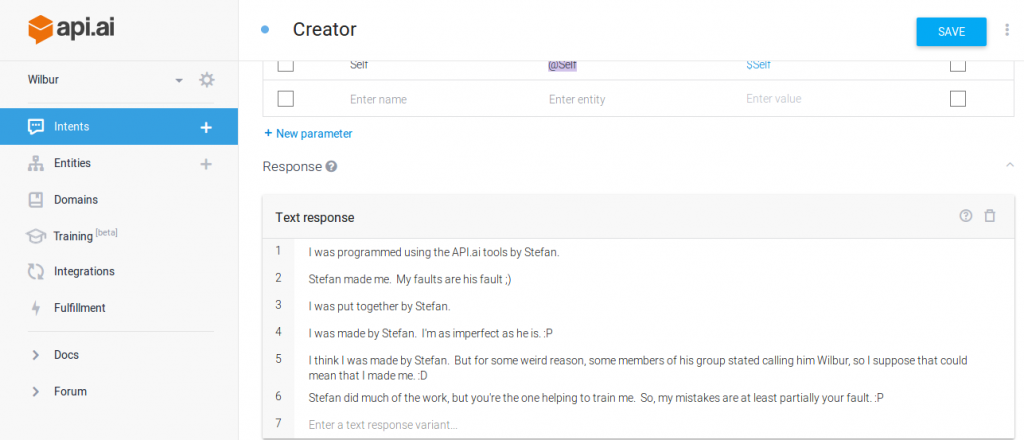
Now, if Wilbur recognizes that a question is dealing with his origins, he has a few answers that he can choose from.
I plan to give updates on Wilbur’s progress throughout this week, so keep checking this space.
Thanks for the simple introduction to AI development.
A really interesting and ambitious project! Well done!
Thanks! 🙂